
Custom Fields
Collect additional information during booking with configurable form fields.
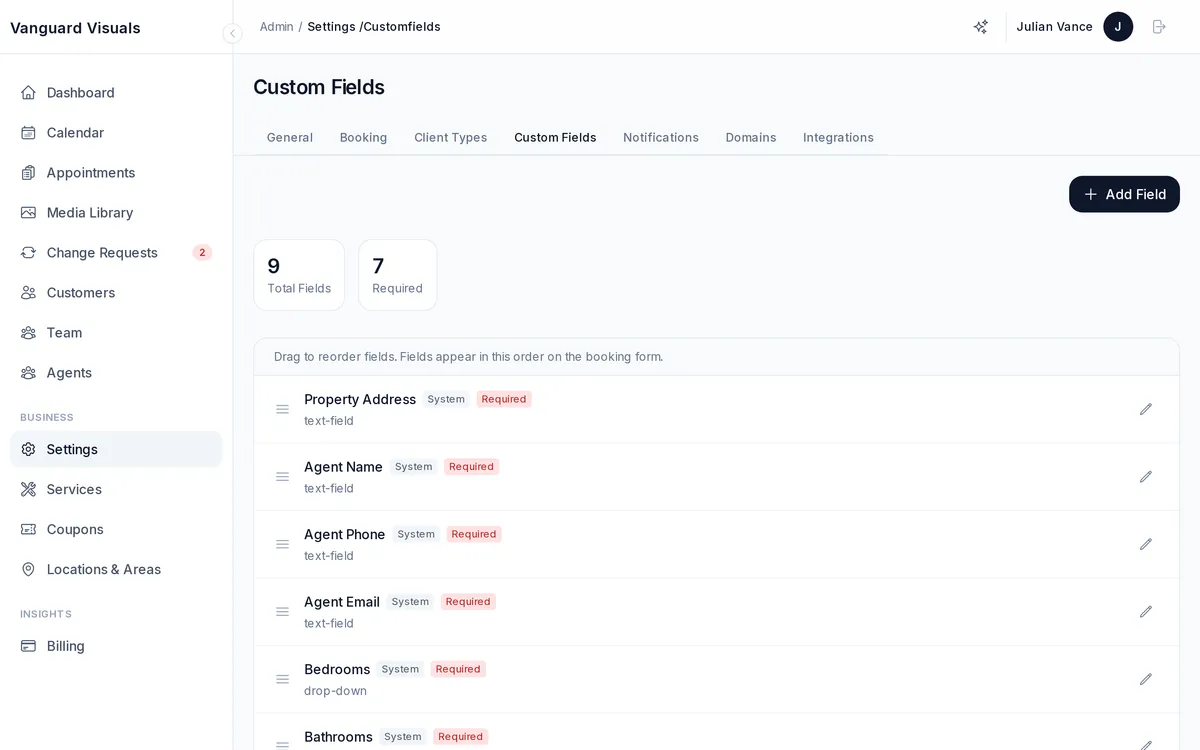
Default Fields
Every new PhotoFounder account comes with 8 pre-configured fields:
| Field | Type | Purpose |
|---|---|---|
| Property Address | Text | Where is the shoot? |
| Agent Name | Text | Who is the listing agent? |
| Agent Phone | Text | Agent's phone number |
| Agent Email | Text | Agent's email |
| Bedrooms | Number | Property bed count |
| Bathrooms | Number | Property bath count |
| Square Footage | Number | Property size |
| Dashboard URL | Text | Link to customer portal |
These system fields cannot be deleted (but can be customized).
Creating Custom Fields
Add your own fields with these types:
- Text — single-line input
- Textarea — multi-line input
- Number — numeric input
- Date — date picker
- Time — time picker
- Checkbox — yes/no toggle
- Checkbox Group — multiple selections
- Radio — single selection from options
- Select — dropdown selection
- File — file upload
Each field can be required or optional, restricted to specific services, and ordered by drag-and-drop.