
Media Library
Upload, organize, and manage photos, videos, and documents.
Overview
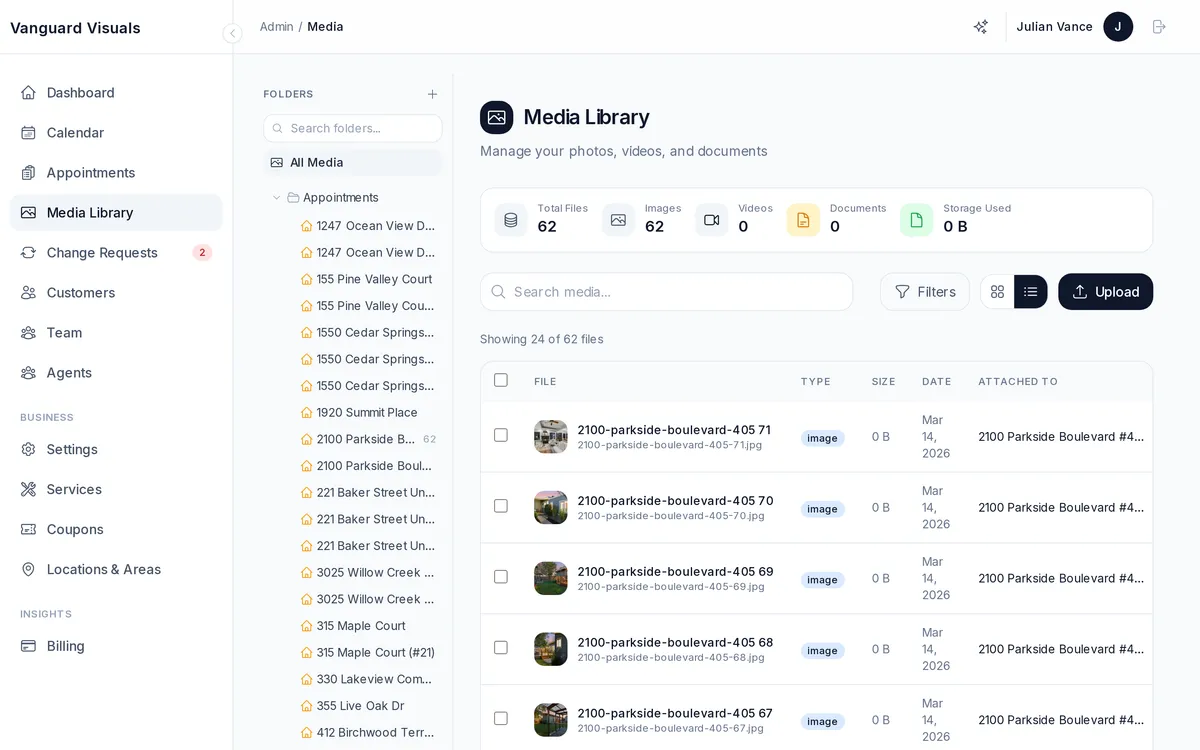
The admin media library lets you organize all your files:
- Upload — drag-and-drop or click to upload photos, videos, and documents.
- Folders — organize media into folders (auto-created per appointment).
- Search & filter — find files by name, type (image/video/document), or date.
- Bulk operations — select multiple files to delete or move.
- File details — view dimensions, file size, alt text, and captions.
- Statistics — see total files, total storage used, and breakdown by file type.
Automatic Image Processing
When you upload photos, they're automatically optimized for every use case — thumbnails for browsing, high-res for gallery viewing, print-quality for marketing materials, and the original full-resolution file for downloads. You don't need to resize anything manually.