
Notifications (Email & SMS)
Configure automated email and SMS notifications for every event.
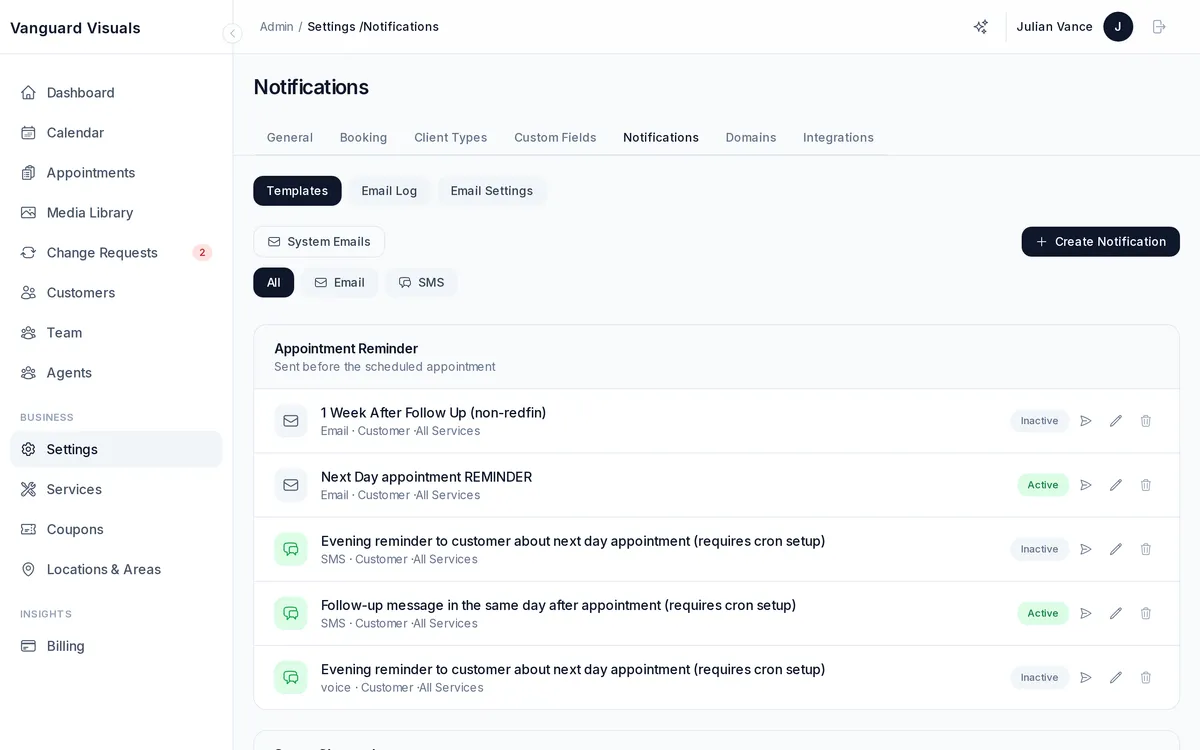
Notification Types
Configure notifications for various events:
- Appointment confirmed — sent when a booking is confirmed
- Appointment reminder — sent before the scheduled time
- Photos ready — sent when the gallery is available for download
- Payment received — sent on successful payment
- Cancellation — sent when an appointment is cancelled
- New lead — sent when someone submits a contact form on a property listing
- Change request update — sent when a photo revision status changes
Configuration
For each notification type, configure:
- Channels — email, SMS, or both
- Recipients — staff, customer, admin, or custom email addresses
- Schedule — for reminders, set how far before/after the appointment
- Service filters — only trigger for specific services
- Templates — customize the subject and body text
Email Features
- Calendar invite attachments
- Invoice attachments
- Branded templates (your logo, colors, business name)
- Use your own email server if preferred
- Configurable "From" name and email address
Email Log
View a searchable log of all sent emails with recipient, subject, send date, and status.