
Team Management
Add team members with roles, manage permissions, and organize your staff.
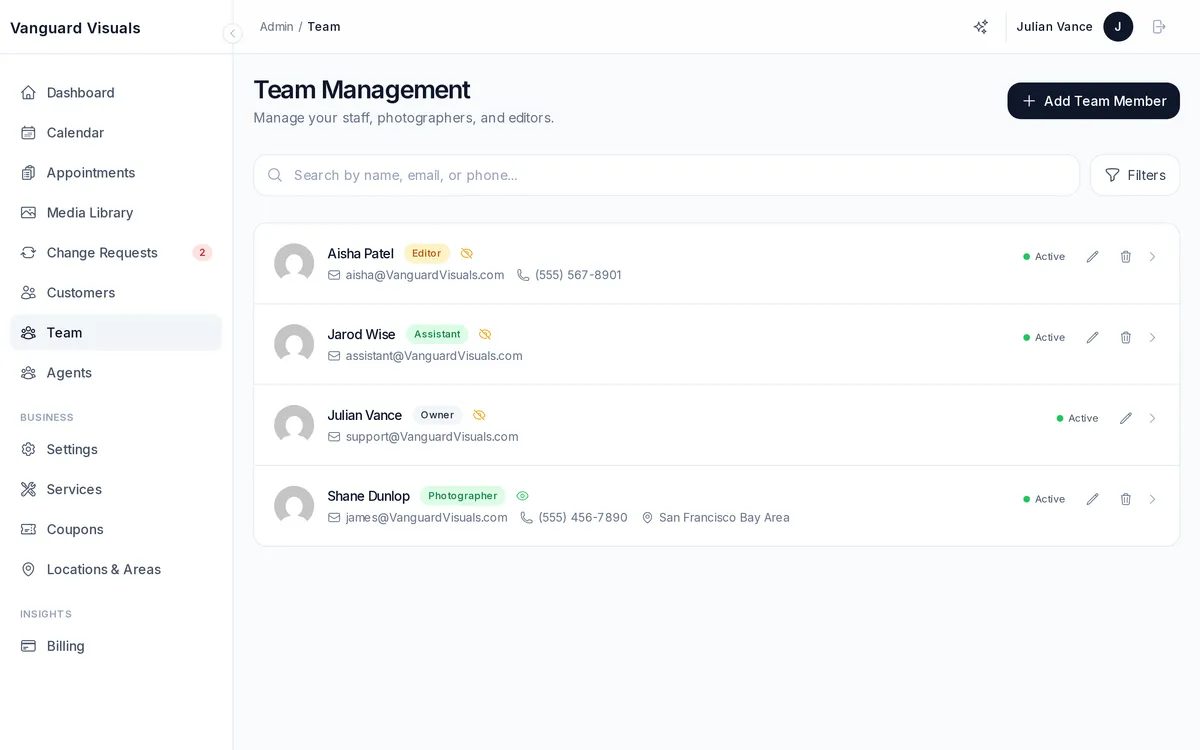
Adding Team Members
Invite team members with specific roles:
| Role | Access Level |
|---|---|
| Owner | Full access to everything, including billing and account deletion |
| Admin | Full operational access (appointments, services, settings) |
| Photographer | See assigned appointments, upload photos, manage own schedule |
| Editor | Access to photo editing and gallery management |
| Manager | Limited admin access (appointments, customers, basic settings) |
Staff Profiles
Each team member has a profile with:
- Contact information
- Assigned locations
- Timezone (supports distributed teams)
- Google Calendar connection status
- Visibility (public/private/archived — controls whether clients can request them)
- Active/pending/deactivated status