
Customer Management
Organize clients, assign customer groups, and manage agent relationships.
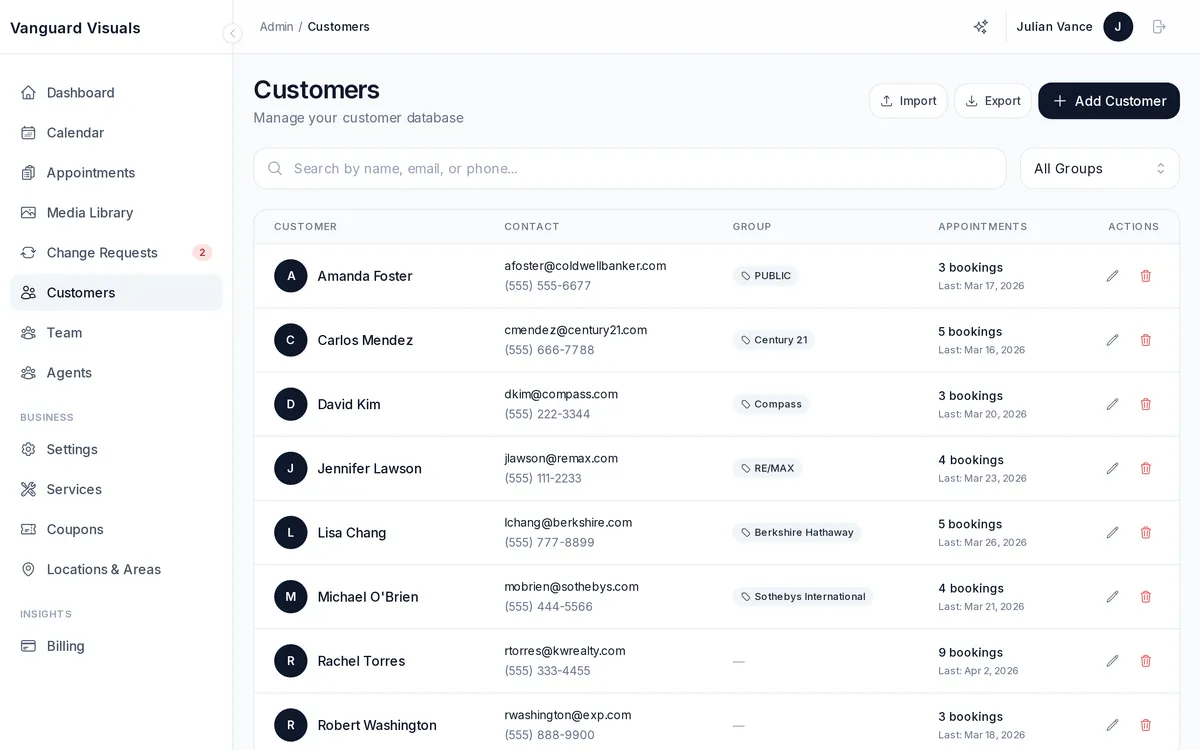
Customer List
View all your clients in one place with search, pagination, and filtering. Each customer record includes:
- Contact information (name, email, phone)
- Assigned customer group
- Appointment history
- Agent assignment (if applicable)
Customer Groups
Organize clients into groups to control which services they see and at what prices:
- Public — default group, sees your standard service menu.
- Redfin — agents from Redfin see Redfin-specific packages.
- Custom groups — create your own groups for brokerages, repeat clients, VIPs, etc.
Groups can be auto-assigned based on email domain rules. For example, all @redfin.com emails automatically join the Redfin group.
Agents
The Agents section maintains a directory of real estate agents your clients work with. Agents are linked to customers so you can track which agent referred which booking. Agent stats include total appointments and revenue generated.